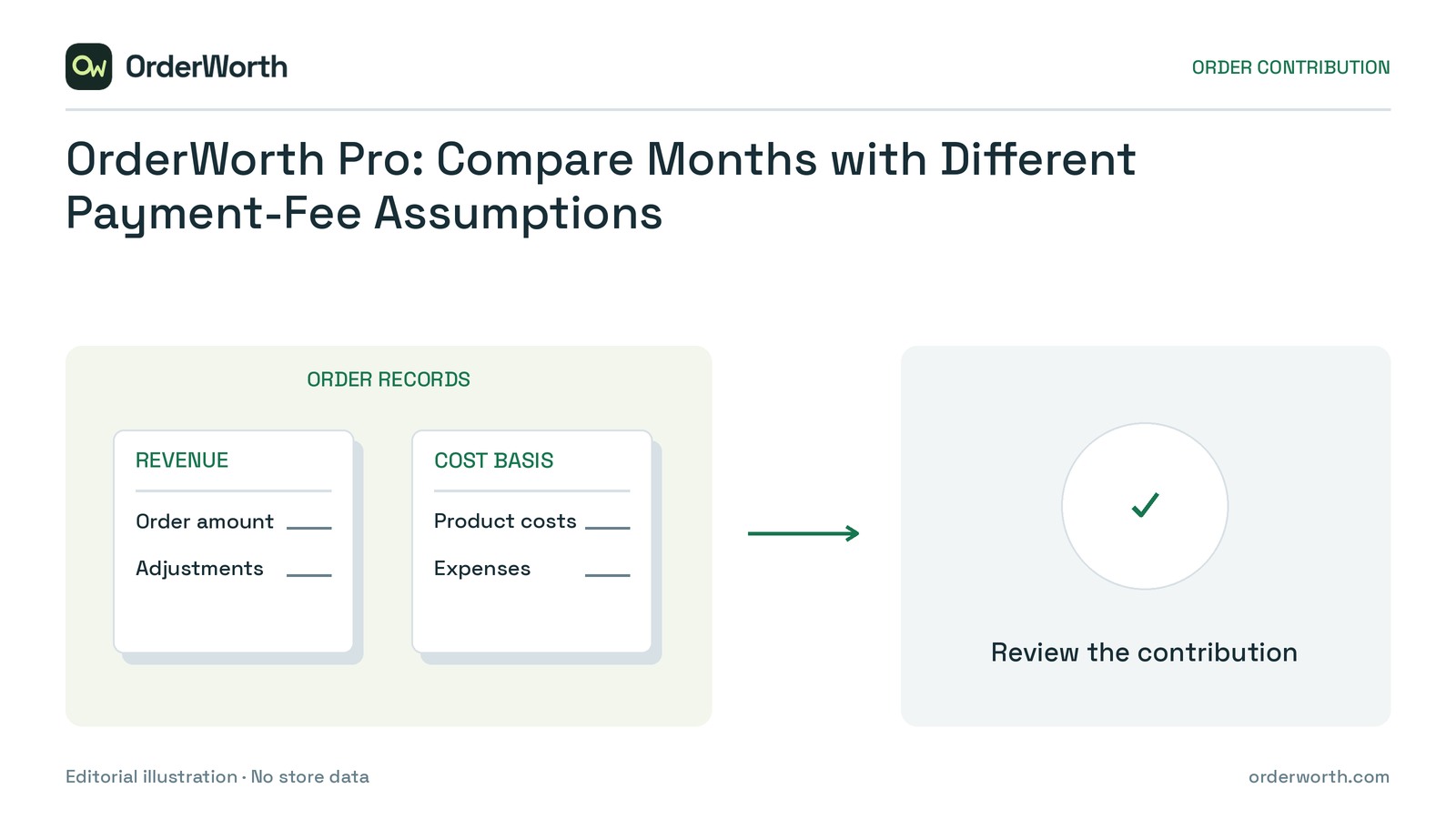
Use OrderWorth Pro’s period comparisons and change drivers to locate a monthly contribution difference, then check each month’s payment-fee basis. Compare as reported only when evidence supports the period-specific deductions and comparable report scope.
If both estimation bases can be reconstructed, you may present a qualified sensitivity comparison: recalculate both periods using one chosen fee assumption. This is an external worksheet exercise, not automatic normalization, retroactive rule application or causal attribution by the plugin.
Record both report bases
Create an external comparison note with an entry for each month:
- Dates: which date determines inclusion, start and end dates, time zone and report preparation date.
- Coverage: order statuses and total count in scope, included order IDs and count, and exclusions with reasons.
- Currency: store and reporting currency.
- Expense scope: recorded product costs and included expenses, distinguishing estimates from actual records.
- Payment basis: assumptions or conditional rules, rates, fixed charges, the amount to which each percentage applies, applicable payment methods, effective dates and evidence references.
Label current assumptions used on older orders. Today’s settings do not establish yesterday’s report basis.
Missing costs are not silently zero; incomplete orders are excluded from aggregate estimates. Matching payment assumptions does not equalize cost coverage, currencies, expense scope or order mix. Resolve material differences or limit the comparison accordingly.
Separate processor changes from estimation changes
Record two findings separately: what processor evidence establishes, and what changed in the estimation method. Actual fees and estimation methods can change together; document both.
Do not call a change estimation-only merely because evidence of a tariff change is absent. Confirm unchanged applicable processor terms. Even then, transaction mix and adjustments can change total actual fees.
TRY THE SCENARIOS
What does the payment-fee evidence support?
Hypothetical cases: same currency and comparable coverage and expense scope; these examples do not check your store.
Processor records establish a genuine fee change
If deductions reflect supported period-specific expenses, compare as reported and disclose the change. This does not prove operational improvement.
Both estimation bases are known, but actual expenses are unknown
Present an external sensitivity calculation beside the reported figures. Label actual expenses unknown; do not claim confirmed savings or an estimation-only change.
An earlier basis or deduction cannot be reconciled
Hold the adjustment and performance claim. Identify the missing assumption, transaction evidence or unexplained mismatch, and assign a reviewer.
Compare all scenarios
| Situation | What happens |
|---|---|
| Processor records establish a genuine fee change | If deductions reflect supported period-specific expenses, compare as reported and disclose the change. This does not prove operational improvement. |
| Both estimation bases are known, but actual expenses are unknown | Present an external sensitivity calculation beside the reported figures. Label actual expenses unknown; do not claim confirmed savings or an estimation-only change. |
| An earlier basis or deduction cannot be reconciled | Hold the adjustment and performance claim. Identify the missing assumption, transaction evidence or unexplained mismatch, and assign a reviewer. |
Illustrative examples. Your selection is not saved or sent, and changes no store settings.
Work an external common-basis comparison
This example is entirely hypothetical, not a product result or fee recommendation. It compares January 1–31 and February 1–28, 2026, in USD using UTC order dates; reports were prepared March 5.
Assume identical status and expense scopes, complete cost coverage, no refunds and no fixed transaction charges. Processor terms are unchanged, but the reports use different percentage assumptions. Neither percentage is asserted to equal actual fees. The payment-fee base—the amount to which the percentage applies—is defined consistently and is not automatically net revenue.
- January: 100 of 100 scoped orders included; fee base $10,000; payment assumption 3%; estimated payment expense $300. Contribution before payment expense is $2,300, leaving $2,000 reported contribution.
- February: 120 of 120 scoped orders included; fee base $12,000; payment assumption 2%; estimated payment expense $240. Contribution before payment expense is $2,640, leaving $2,400 reported contribution.
The before-payment figures already deduct product costs, shipping and packaging expenses. No other expenses are included.
- 1. Find the reported difference: $2,400 minus $2,000 gives a $400 increase.
- 2. Choose a common basis: using January’s 3% assumption, February’s payment estimate becomes $360. That is $120 above its reported deduction, so the contribution adjustment is minus $120.
- 3. Recalculate with other inputs fixed: February becomes $2,400 minus $120, or $2,280. January remains $2,000, leaving a $280 increase.
The $280 result is conditional on choosing 3%. It is not a uniquely corrected result, actual savings or proof of improvement. February also contains more orders; product mix and other differences may matter. This is a sensitivity comparison, not a correction to historical records.
Prepare for hands-on verification
Use the reviewed native-account Free 1.10.18 and native-account Pro 1.10.18 pair with active WooCommerce. Minimum versions are WordPress 6.7, PHP 7.4 and WooCommerce 9.9. Pro requires Free 1.10.5 or later and eligible first activation for the supported single-site installation. This does not imply a trial or WordPress.org availability.
Stay within documented product scope; do not assume support for arbitrary subscriptions, bundles or marketplaces. This example uses store-currency orders, not Pro’s separate historical-currency reporting workflow.
Verify orders, then reconcile whole periods
First, check representative orders from each month and materially different payment-rule group. Inspect recorded item costs and the expense basis. Reconstruct each payment estimate from retained assumptions and check it against the reported deduction. Compare separately with independent processor records.
Keep estimated and actual charges separate; a difference between them is not automatically a reporting error. Use historical order-item costs: changing current product costs does not backfill old orders.
Then reconcile each full period externally. Total reconstructed payment deductions by payment-rule group, then reconcile each subtotal and the combined total to the deductions behind that month’s report. A few matching orders cannot validate the whole month.
If a group cannot be reconstructed or a report mismatch remains unexplained, hold the full-period adjustment. Do not extrapolate from the verified sample.
Finish with a supported comparison note
For a small review, Free’s manual reports and order reviews plus an external worksheet may suffice. Pro adds conditional payment expense rules and comparison tools, not a substitute for evidence.
These remain order-contribution estimates, not accounting profit or cash flow. Advertising, overhead and other unsupplied expenses remain outside scope.
Review the reporting documentation, then select two completed months. Finish your note with an explicit decision: compare as reported, present a qualified sensitivity comparison, or hold the claim. Attach reconciled totals or identify specific evidence gaps and a responsible reviewer.