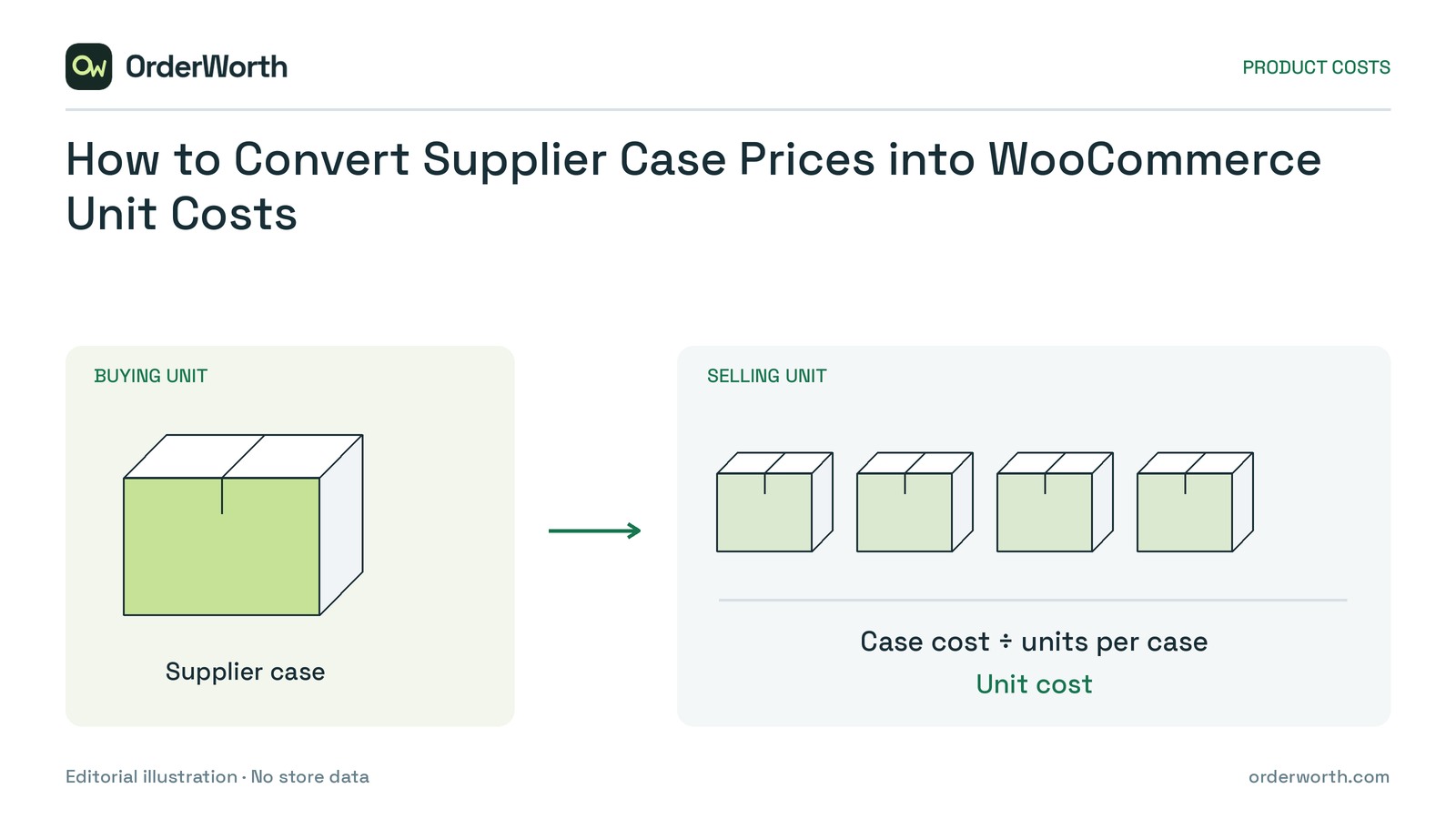
To calculate a WooCommerce unit cost, divide the verified supplier case cost by the confirmed number of individually sellable units it contains. First establish whether the amount represents one case, several cases or one individual item.
An unchanged case price can hide a unit-cost increase when the pack gets smaller. Check the quantity basis before importing any valid-looking price.
Confirm what one store unit represents
This workflow covers homogeneous cases whose contents are sold individually, with supplier amounts already in the store currency.
Check what customers receive when they order a quantity of one. Match the supplier item to the exact simple product or variation, including size, colour and capacity. Do not assume supplier and store SKUs match.
Retail multipacks need a different selling-unit calculation. Hold mixed-product cases for separate allocation review rather than dividing their price equally between unlike items.
Build an evidence-linked update sheet
Keep the original supplier file unchanged. Create a working sheet with one row per proposed product or variation update, retaining evidence references, calculations, before-and-after values and review status.
Here is a hypothetical completed record. Assume the referenced supplier documents verify the price, pack quantity and effective date, and the reviewer has confirmed the exact variation match.
- Supplier evidence: Example Supplier A, price list P-17 dated 1 May 2026, and pack specification S-4.
- Store identity: Variation ID 812, store SKU MUG-BLUE-350; a blue 350 ml mug sold individually, matched to supplier item CASE-BLUE-350.
- Price basis: USD 144 per case; USD is the store currency.
- Quantity basis: One case containing 12 identical sellable mugs.
- Charge treatment: Goods only, with no included tax, freight or discounts; this basis matches the example store’s established cost policy.
- Calculated and proposed cost: USD 12 per unit, stored as USD 12.00; current cost USD 6.00; increase USD 6.00.
- Timing and decision: Effective 5 May 2026; approved by the inventory manager for the hypothetical 5 May update after checking the assumed evidence.
A calculated value is not automatically an approved update. Your sheet needs actual supporting records and the approval checks below.
Normalize case prices and invoice totals
The following hypothetical calculations assume USD, identical individually sold items, goods-only amounts and no discounts, additional charges or quantity discrepancies.
One case versus a changed pack size
An original $144 case containing 24 units costs $144 divided by 24 = $6 per unit.
A new $144 case containing 12 units costs $144 divided by 12 = $12 per unit. The case price is unchanged, but the unit cost has doubled.
An invoice line covering several cases
An invoice line for three cases of 24 units represents 72 individual units. If its total is $432, the unit cost is $432 divided by 72 = $6.
Dividing $432 by 24 would incorrectly produce $18 because the amount covers three cases but the denominator covers only one. If using the $144 case price instead, divide by 24 only.
Use the quantity represented by the amount—not stock currently remaining. Short shipments, damaged contents or unresolved credits require investigation before approval.
Decide which rows can enter this update
Approve a row only when identity, price basis, quantity, currency, charge treatment and effective date are resolved. A supplier’s “unit price” may mean a case; verify it from documentation or written clarification.
If anything remains uncertain, hold the row with a specific evidence request and a named responsible person. Keep future-effective prices outside the current batch. Hold foreign-currency amounts until a separately verified conversion process establishes store-currency costs.
Compare proposed and current unit costs. A large change is not automatically wrong, and a small change is not automatically safe. Accept a pack-size explanation only when the old and new specifications support it.
Resolve duplicate proposals into one supported update per product or variation. Retain the unrounded calculation and document the update method’s precision and rounding. Check included charges against your cost policy so they are not deducted twice elsewhere.
Verify a small approved update
Keep a current backup and review a small approved batch before applying further changes. Choose representative rows covering a case price, an invoice total and a confirmed pack-size change; include a variation if relevant.
1. Capture the baseline. Record selected products’ current costs and several existing orders’ recorded item costs. Retain the approved expected values beside them.
2. Apply selected rows. Confirm native WooCommerce Cost of Goods Sold is enabled. For a small test, manually edit a simple product’s Cost of Goods under Product data, General. For variations, check the individual cost and any parent default. If importing, follow that method’s documented mapping; the review sheet is not automatically upload-ready.
3. Reopen the products. Compare stored costs with approved values, including rounding. Confirm neighbouring variations were not changed accidentally.
4. Review a known new order. Choose an order created after the cost update with a verified quantity and expected product cost. Two units at the hypothetical $12 unit cost should produce $24 total recorded product cost. Inspect the order-item cost, not the selling price.
5. Compare old and new orders. Confirm the new order matches expectations and existing orders retain their recorded costs. Investigate any mismatch before proceeding.
This is a prospective product-cost update, not a repair of historical order costs or an inventory-valuation policy.
Apply and reconcile every approved update
A small batch does not complete the full update. Account for every approved, currently effective row; retain the results already verified in the first batch.
Immediately before each batch, compare current costs and product or variation identities with those recorded in your review sheet. If either has changed, hold that row for fresh review rather than overwriting it solely because an earlier check passed.
Reconcile each batch before continuing. Explain unexpected unchanged or rejected rows, and confirm selling prices and stock quantities remain unchanged if outside the intended update. Retain supplier evidence and before-and-after values.