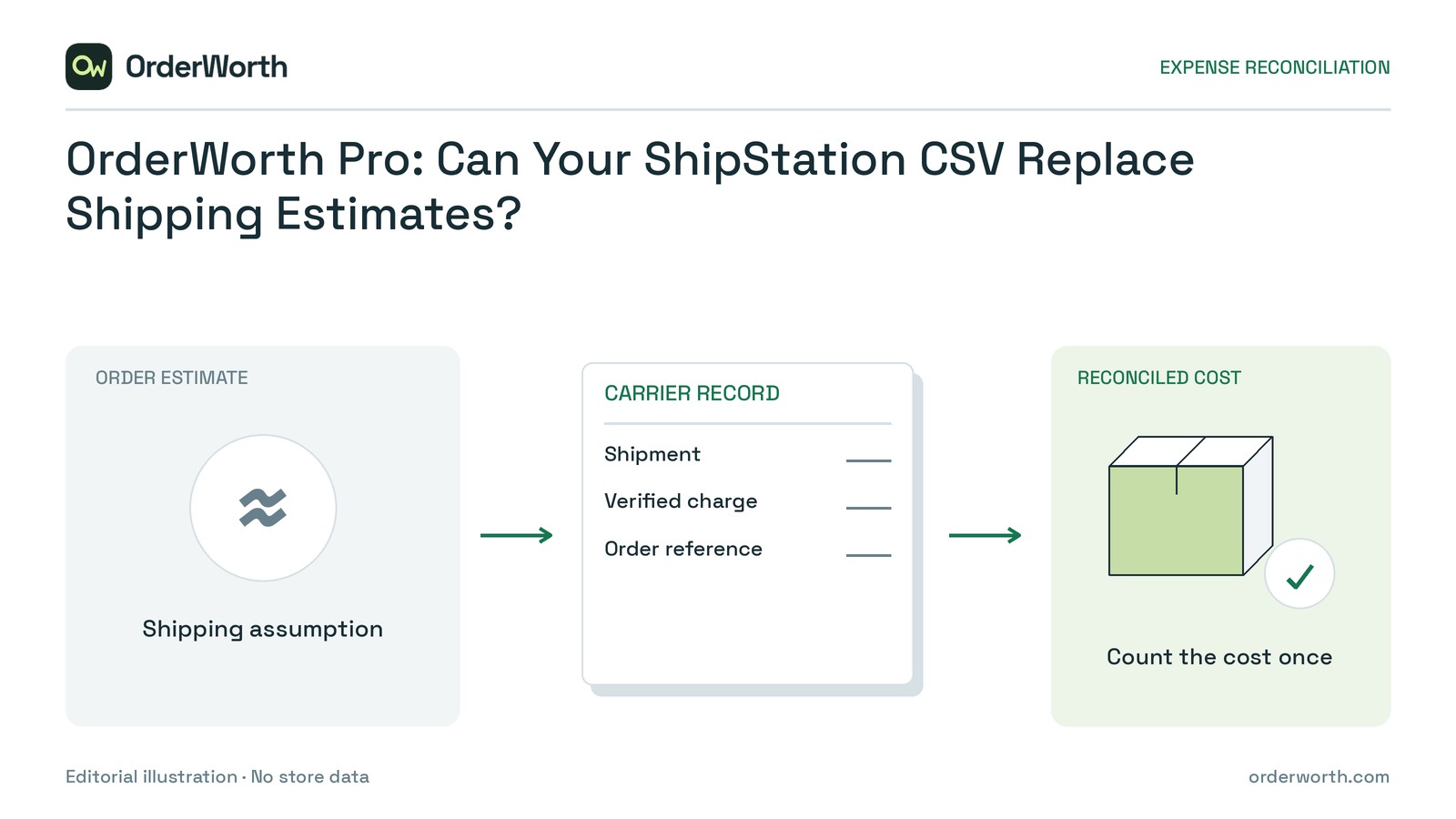
Use OrderWorth Pro’s ShipStation CSV helper for supported single-package outbound shipments when final charges are verified and separate fulfilment expense is confirmed as zero. If fulfilment costs exist, use the merchant-verified combined expense CSV instead. Hold unresolved orders for investigation.
Both routes can replace shipping estimates, but existing manual or recorded actual shipping expenses are protected. Exporting a file alone does not establish reliable expenses.
Decide the route and whether shipping is replaceable
Create an external routing sheet with one row per WooCommerce order. Record its internal ID, native order number, shipment references, verified expenses, evidence references, existing shipping basis, chosen route and expected deductions.
Make two separate checks: whether the verified expenses qualify for an import route, and whether the existing shipping entry is a replaceable estimate. If it is a protected manual or actual expense, send any discrepancy to individual review rather than expecting an import to overwrite it.
Choose a route:
- ShipStation helper: supported outbound shipments, complete verified charges and confirmed zero separate fulfilment expense.
- Combined expense CSV: verified order-level shipping and fulfilment expenses. This can accommodate merchant-reconciled expenses outside the helper’s shipment limits, but cannot bypass unresolved identities, incomplete evidence or unsupported WooCommerce product types.
- Hold: unclear identity, incomplete shipment history, unreconciled charges or unknown fulfilment expense.
Check invoices and shipment records outside the plugin. A missing fulfilment column is not evidence of zero fulfilment expense. Resolve overlapping insurance, handling or packaging charges before importing.
Prepare the file for your chosen route
Both import routes require Pro. Keep a current backup, install and activate the current Free plugin first, then the matching Pro add-on, and keep both active. Review two known orders before applying a larger batch.
Enable native WooCommerce Cost of Goods Sold (COGS) and choose base-currency test orders with trustworthy recorded costs and confirmed expense assumptions.
Simple products and variations are supported; subscriptions, bundles, composites and marketplace/vendor revenue splits are outside scope. Check software requirements and extensions against the setup and supported-scope reference, using an account permitted to manage reports and edit the test orders.
Path A: Prepare a supported shipment export
In Shipping and fulfilment expenses, open Prepare a ShipStation shipment CSV. Export Shipments, not line items, with exactly these eight fields:
- Order - Number
- Market - Store Name
- Carrier - Fee
- Insurance - Cost
- Shipment - Tracking Number
- Shipment - Void Flag
- Return - Return Label Flag
- Shipment - Package Count
Use one store and currency, native WooCommerce order numbers, and no more than 5,000 shipment rows / 1 MiB.
The local helper sums carrier and insurance charges for supported single-package outbound shipments. Verify final charges and shipment completeness, and confirm zero separate fulfilment expense for every included order.
Returns, voids, multiple-package records, currency conflicts and ambiguous order identities exclude the whole affected order. Duplicate tracking references or mixed stores reject the file.
Do not delete inconvenient records to make an unsupported order appear eligible. Investigate and reconcile it before choosing an alternative route.
This is not a live API connection or settlement reconciliation. Later carrier adjustments, duties and return labels need separate review.
Path B: Prepare the combined expense CSV
Use a merchant-verified UTF-8 CSV with these headers: order_id,reference,shipping,fulfilment,currency. The limit is 5,000 rows / 1 MiB.
Supply internal WooCommerce order IDs, a non-personal business reference and final amounts already in reporting currency. Unlike the shipment export, this file uses internal IDs rather than native order numbers.
Shipping replaces its estimate; fulfilment adds a separate expense. Include each charge only once across shipping, fulfilment, packaging and other recorded expenses.
Write the expected result before importing
Consider two hypothetical USD orders, each currently carrying an $8 shipping expense estimate, no separately recorded fulfilment expense and no overlapping charges. Other contribution inputs remain fixed.
The $8 is your replaceable expense estimate—not customer-paid shipping or a protected manual or actual entry.
Order A: Shipping only
Verified carrier expense is $6 and insurance is $1. Separate fulfilment expense is confirmed as $0, and the shipment meets the helper requirements.
Routing entry: Order A — helper; verified shipping $7; fulfilment $0; expected deduction $7 shipping, with no separate fulfilment deduction.
The $8 shipping estimate becomes $7. It does not become $15.
Order B: Shipping plus fulfilment
Carrier expense and insurance again total $7, but a separate fulfilment invoice adds $2.
Routing entry: Order B — combined CSV; verified shipping $7; fulfilment $2; expected deductions $7 shipping plus $2 fulfilment.
The expected total is $9, replacing the previous $8 shipping-only deduction in this example. The $2 must not also appear inside shipping or packaging.
Preview, apply and verify a small batch
Start with a small batch and written expectations. For either route, preview the expenses, select only records you have verified and explicitly confirm application. Preparing a shipment file is not the same as applying its expenses.
Complete these manual checks in your external routing sheet:
Guarded expense-import undo has a one-hour window and skips changed records. Do not treat it as an unconditional rollback. Verify order-level deductions, not merely a changed report total.
Choose your next step
For a few orders, Free’s manual shipping entries may be sufficient. If separate fulfilment is not recorded in the plugin estimate, reconcile it externally and do not describe that estimate as including it. A worksheet using native recorded product costs and verified expenses is another valid option.
Reports estimate order contribution, not accounting profit, cash flow or tax. Advertising, salaries, rent, income tax, other overhead and unsupplied expenses remain excluded.
Start with two known orders: complete their routing rows and expected deductions. Follow the shipping review quickstart and compare each saved or unchanged entry with its documented expected outcome.